
Notice
Recent Posts
Recent Comments
Link
| 일 | 월 | 화 | 수 | 목 | 금 | 토 |
|---|---|---|---|---|---|---|
| 1 | 2 | 3 | 4 | |||
| 5 | 6 | 7 | 8 | 9 | 10 | 11 |
| 12 | 13 | 14 | 15 | 16 | 17 | 18 |
| 19 | 20 | 21 | 22 | 23 | 24 | 25 |
| 26 | 27 | 28 | 29 | 30 | 31 |
Tags
- react-native
- AWS
- chrome
- Jenkins
- 코딩테스트
- React
- Next
- 백준
- it
- Express
- 코테
- EC2
- toml
- 파이썬
- kotlin
- 오블완
- 광고 id
- nginx
- css
- NanoHttpd
- Android
- JavaScript
- spring boots
- TypeScript
- python
- docker
- 티스토리챌린지
- nuxt
- 오퍼월
- 개발
Archives
- Today
- Total
내맘대로 개발일지
[iTerm2] 커스텀 하기 본문
회사 맥은 커스텀 해놨는데 집에는 안해놨기 때문에
여기에 설정한거 정리해놓고 집가서 그대로 따라할 예정이다.
iterm2 설치하기
iTerm2 - macOS Terminal Replacement
iTerm2 by George Nachman. Website by Matthew Freeman, George Nachman, and James A. Rosen. Website updated and optimized by HexBrain Sponsors
iterm2.com
cmd + , 눌러서 설정 들어가기
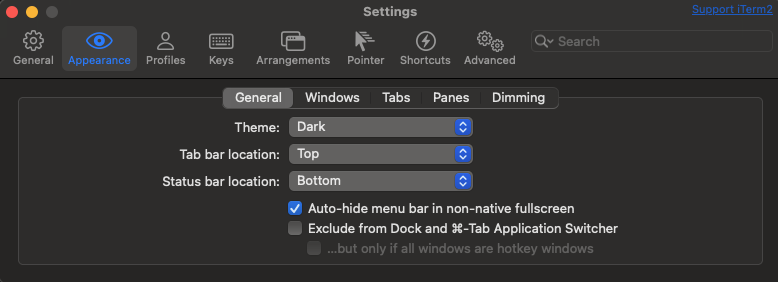
Theme : Dark
Tab bar location : Top
Status bar location Buttom 선택
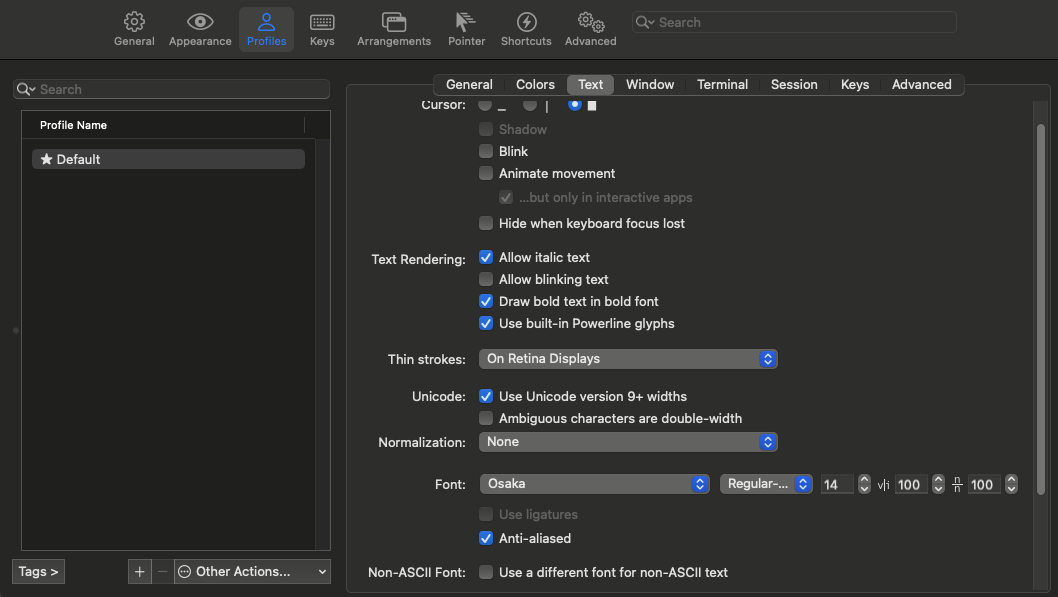
Font: Osaka Regular-Mono 14pt
항상 글씨가 작아서 거북목했는데 좀 나아진것같아 기분이 좋다
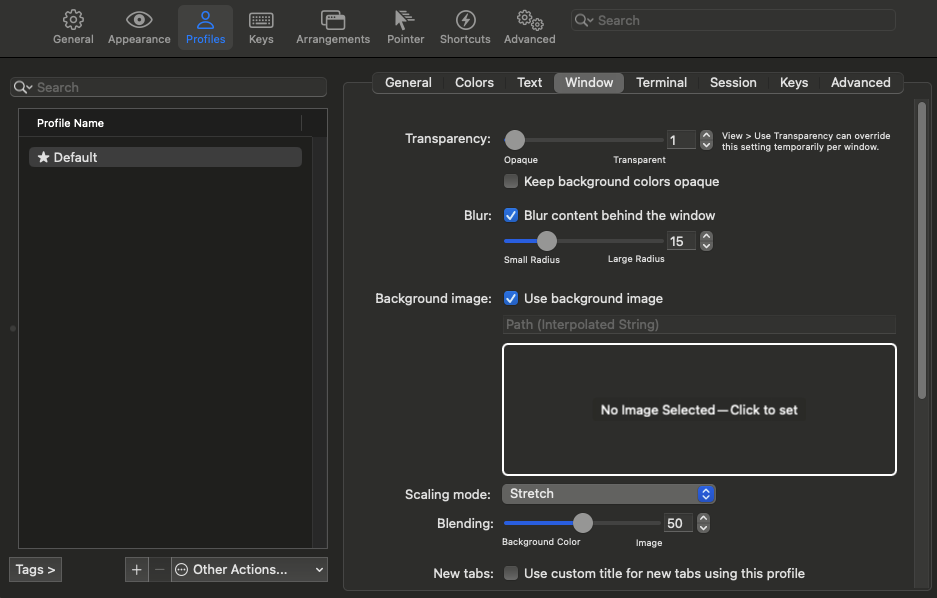
Transparency : 1
Blur : Blur content behind the window 클릭 15
사실 블러 안줘도된다. 어차피 1 줘서 투명해보이지 않으니까 ..
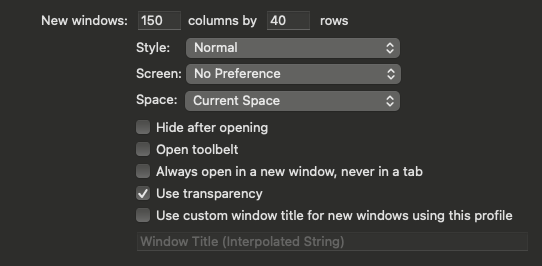
New windows : 150 columns by 40 rows
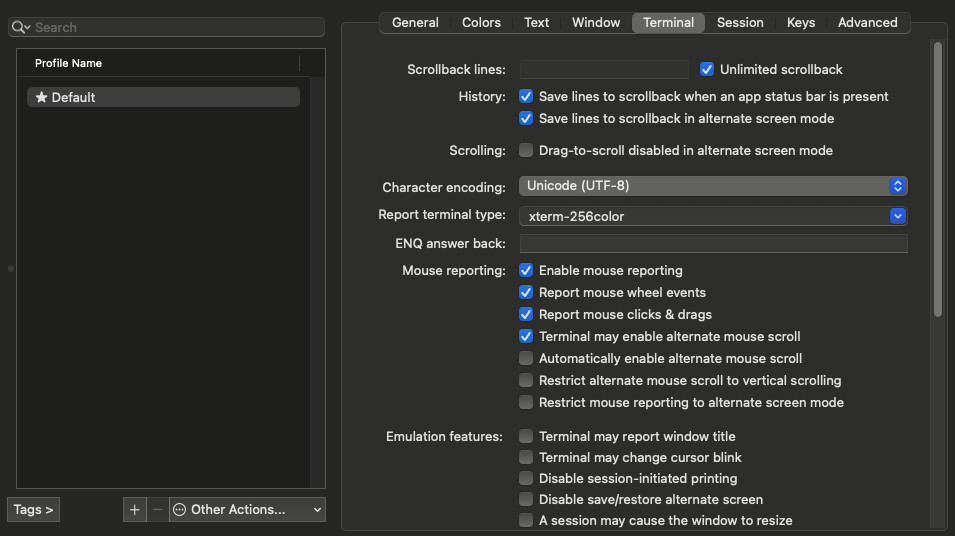
Scrollback lines : Unlimited scrollback 클릭
Cluade Code 사용하다보면 긴 코드줄을 줄때 있는데 그때 초기화 되지않게 하기위함이다
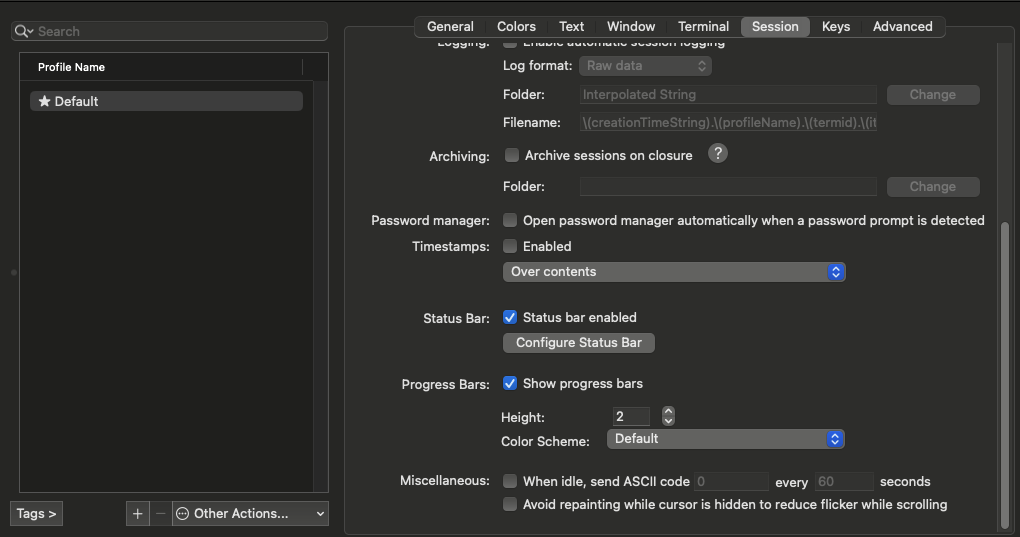
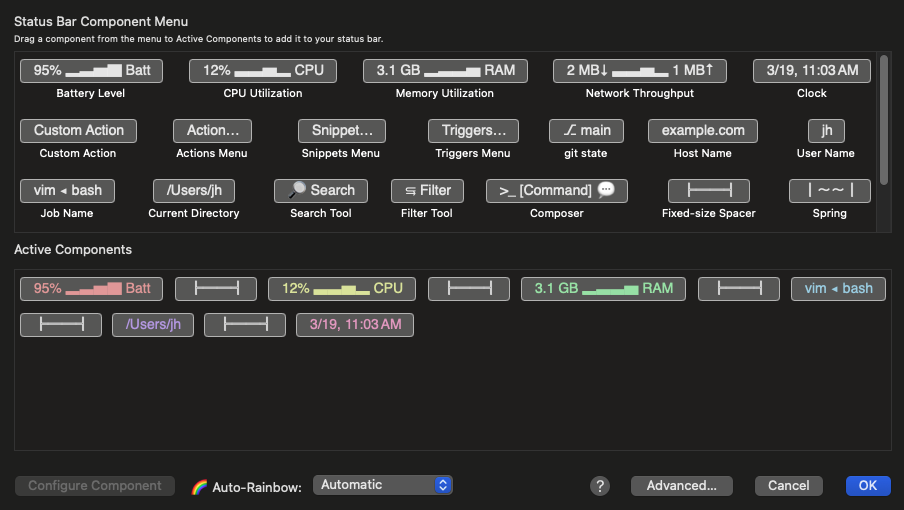
Configure Status Bar 클릭
필요한거 밑으로 끌어서 보여줄거 고르고 / Auto-Rainbow : Automatic 해놓으면 알아서
알록달록하게 만들어준다
이제 터미널 작업
vi ~/.zshrc

#Oh My Zsh
export ZSH="$HOME/.oh-my-zsh"

plugins=(
    git
    zsh-autosuggestions
    zsh-syntax-highlighting
)

source $ZSH/oh-my-zsh.sh
sh -c "$(curl -fsSL https://raw.githubusercontent.com/ohmyzsh/ohmyzsh/master/tools/install.sh)"
git clone https://github.com/zsh-users/zsh-autosuggestions ${ZSH_CUSTOM:-~/.oh-my-zsh/custom}/plugins/zsh-autosuggestions
git clone https://github.com/zsh-users/zsh-syntax-highlighting.git ${ZSH_CUSTOM:-~/.oh-my-zsh/custom}/plugins/zsh-syntax-highlightingsource ~/.zshrc'IT' 카테고리의 다른 글
| [Docker] 기본 명령어 이건 알아야 한다 ( + 리눅스 ) (0) | 2026.03.18 |
|---|---|
| [AWS] Jenkins 로 배포하기 [Spring] (1) | 2025.11.25 |
| [AWS] Jenkins 로 배포하기 [Node] (0) | 2025.11.24 |
| [AWS] 고정 IP 할당받기 (0) | 2025.11.19 |
| [Jenkins] EC2 안에서 설치하고 실행하기 (0) | 2025.11.12 |
'IT' Related Articles
more


